

The voice bar
Talk to the agent inside your app: the bar's launcher, the call it places, captions, mute and end, where it sits and how it follows the keyboard, your own button that starts a call, and what to listen for — on every platform.
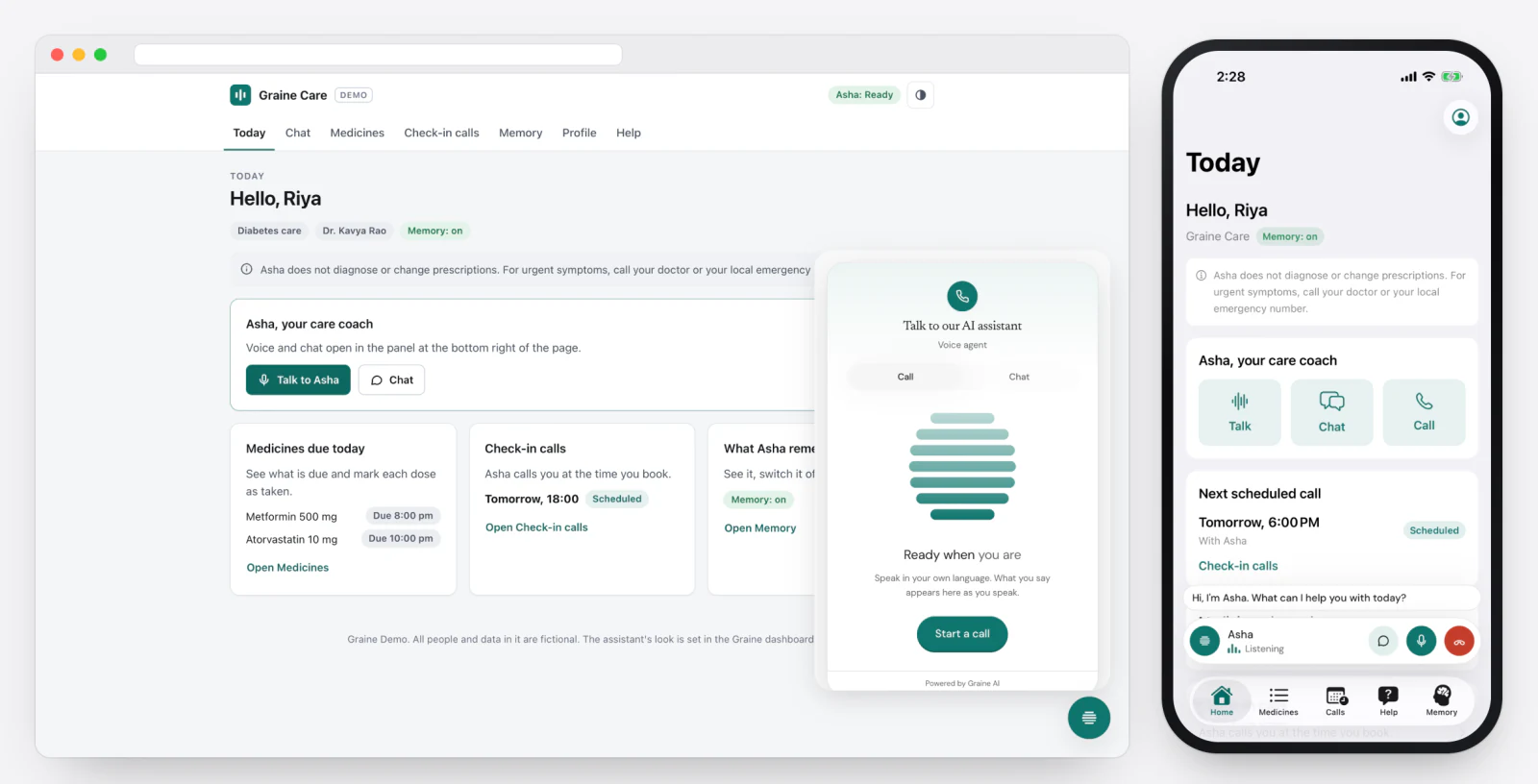
The bar is the agent's voice inside your app: tap, talk, see captions, mute, end — in your design, carried across screens, rising above the keyboard. It is not a phone-style call (that is the call engine): it lives while your app is open, and a conversation ends when the app goes to the background.
What it needs in the dashboard
| Where | Setting | Value |
|---|---|---|
| Embed & Widgets → Appearance → Setup | What visitors get | Call, or Call and chat |
| Embed & Widgets → Appearance → Setup | Call audio | WebRTC (recommended) or Standard — how the bar's voice travels |
| The Garage → the whole look | Accent, shape, glyph, typeface, motion | How the bar looks — The assistant bar |
What to do, in order
- Configure the SDK and put the bar on screen (install).
- The user taps the launcher. → The SDK asks for the microphone the first time, places the call and says what the network is doing (Connecting, Still connecting…, Reconnecting).
- They talk. → Captions show the line being said, either side; the meter moves with the agent's voice.
- Start or end it from your own button, mute it, or read its state, if your screens need to.
- Listen for the call ending, the microphone being refused, and errors.
- It ends with the end button, your
end(), or the app going to the background (two seconds later, unless you turned that off).
The code, platform by platform
1. The bar, draggable, its place kept by you:
4. Your own button, and the state to draw from — GraineVoice is an
ObservableObject:
→ phase is one thing to draw from: idle, connecting, reconnecting,
thinking, speaking, listening. captions holds the transcript;
setMuted(true) withholds the user's voice.
5. Listen:
6. Keep a call going in the background: GraineConfig(…, endOnBackground: false)
— and the Audio background mode.
Troubleshooting
| What you see | Why | Fix |
|---|---|---|
| Needs microphone | Not declared, or refused | Permissions |
| Still connecting… for long | A slow network; the bar keeps trying | It says Couldn't connect with Try again when nothing can carry the call |
| The call ends when the app is backgrounded | endOnBackground (on by default) | Turn it off, with the Audio background mode on iOS — or use phone-style calls |
| The agent cannot hear the user on a call while the chat is open | One conversation at a time | Opening the chat ends the call, and back |
In depth: Voice · SDK reference → Voice.