

Server tokens
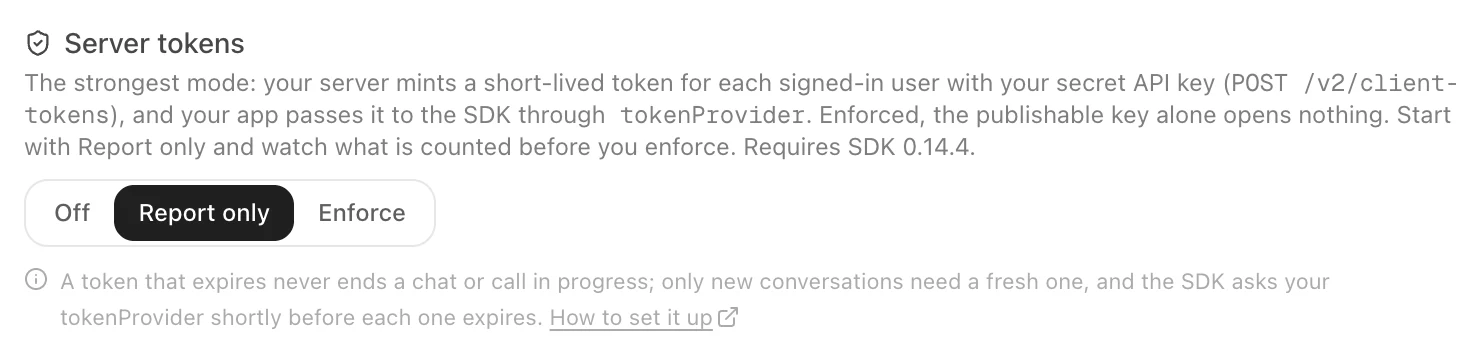
The strongest way to protect an agent in your app or on your website — your server mints a short-lived token for each signed-in user, your app hands it to the SDK, and the publishable key alone opens nothing. Report-only first, then enforce.
A publishable key identifies an agent. It sits inside your app and in your web page, so anyone can read it. Server tokens close that gap: your server — which knows who signed in — mints a short-lived token for one user of one agent with your secret API key, and the SDK sends it with everything it asks of Graine. Once the agent requires them, a request without a valid token for that agent and that user is refused.
Requires SDK 0.14.4 (iOS, Android, Kotlin Multiplatform, Flutter) or React Native 0.47.3, and website loader 1.5.0.
Server tokens are the strongest of the three ways to prove who your users are, and the one we recommend for sensitive data such as health or money. To compare them with your sign-in's ID token and a signed user ID, see Which way should you prove users?
| Publishable key only | With server tokens | |
|---|---|---|
| Who can open a chat or a call | Anyone who has your key | Only a user your server minted a token for |
| Who the user is | What the app says | What your server said — the token's user is a verified user |
| How long access lasts | As long as the key | At most an hour per token; the SDK refreshes it in the background |
| What the token may do | Everything the agent offers | Only the scopes you minted it with |
1. Turn on Report only
In the dashboard, open the agent → Embed & Widgets → Install → Server tokens, and choose Report only. Nothing is refused yet; every request is counted by what its token said — valid, missing, expired, for another agent — so you can see when every build of your app sends one. Each check is also a row in the agent's Security log; while you are report-only, a request without a valid token says Would be refused.
2. Mint tokens on your server
From your own backend, with your secret API key (Settings → API keys). Mint when your user signs in and whenever the SDK asks for a fresh one; never put the API key in an app or a page.
user_idis your user's identifier in the field the agent's Who is the user? setting names — exactly what your app passes toidentify().ttl_secondsis 60 to 3600 (default 3600). A token carries no personal data beyond the user id.- The key needs the
calls:writescope. An agent of another workspace answers 404.
3. Give the SDK a token provider
The provider is called when the SDK starts, again shortly before each token expires (in the background, at a
slightly different moment on each device), and when Graine refuses a token. Return null when no token can be had
right now — the SDK tries again later. Fetch it from your own server, which mints only for the user its sign-in proved.
4. Enforce
When Report only shows valid tokens and nothing missing for a few days, choose Enforce. The dashboard states the effect and asks you to confirm.
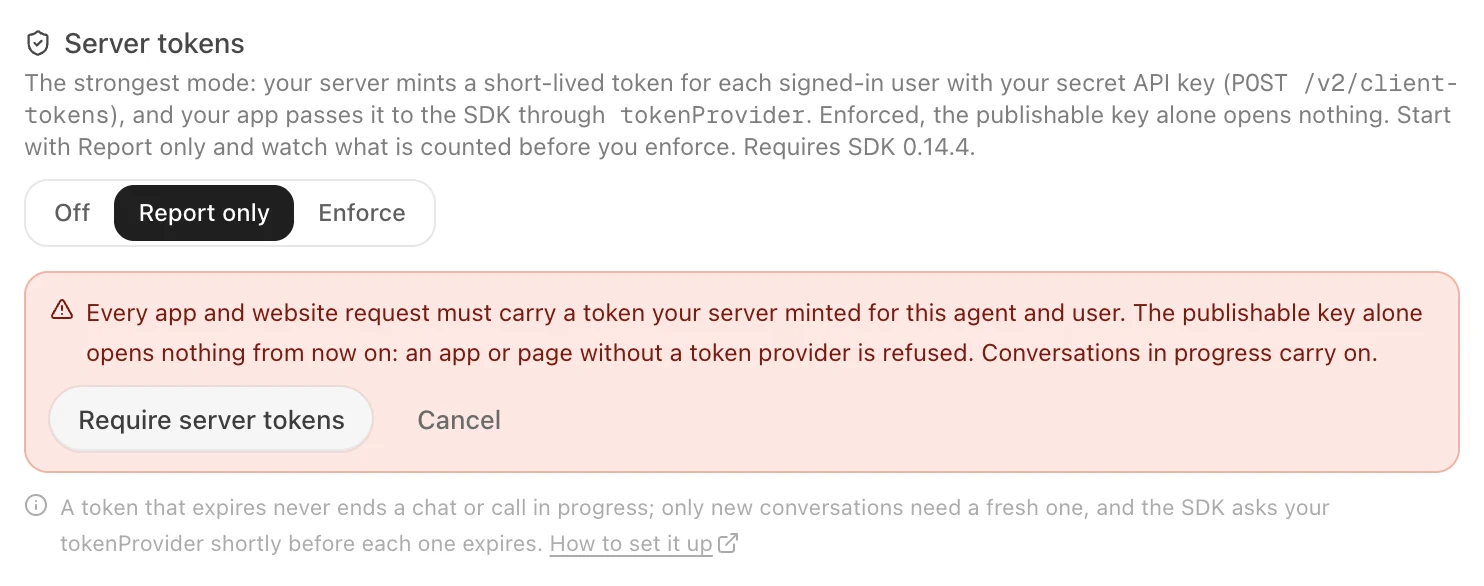
A token that expires never ends a chat or call in progress — only new conversations need a fresh one. A booked call your user answers within 15 minutes of their token expiring still connects.
Scopes
A token covers only what you minted it for. A missing scope refuses that action only: a token without memory
still chats and calls, but cannot read what the agent remembers.
| Scope | Lets the app |
|---|---|
chat | open a chat, start a new conversation |
call | start or answer a voice call, register the device for calls |
memory | read or erase what the agent remembers about the user |
booking | book, list and cancel calls |
workflows | start a workflow |
Past sessions need chat or call. Loading the agent's settings needs any valid token.
When a token is refused
| Code | What it means | What the SDK does |
|---|---|---|
token_required | The agent requires server tokens and none was sent | Asks your provider, tries once more; otherwise reports it |
token_invalid | The token is not one Graine issued for this agent | Asks your provider, tries once more |
token_expired | The token expired | Asks your provider, tries once more |
token_scope | The token is for another agent or user, or lacks the scope this needs | Reports it — a new token will not help |
The error arrives as each SDK's error type, with the code and a reason (agent, user or scope for
token_scope).