

Rotating the publishable key
Change an agent's publishable key without breaking a single app or page — create a new key, move your builds over, revoke the old one report-only, then refuse it. Plus Replace now, for a key that is somewhere it should not be.
An agent's publishable key is in your web page and inside every build of your app. When you want a new one, an agent can have two working keys at once: create the new key, move your apps and pages over, and revoke the old key only when nothing uses it.
Requires SDK 0.14.4 for the key_revoked code in your app (older SDKs see the request refused, with a generic
error); the keys themselves work with every SDK version.
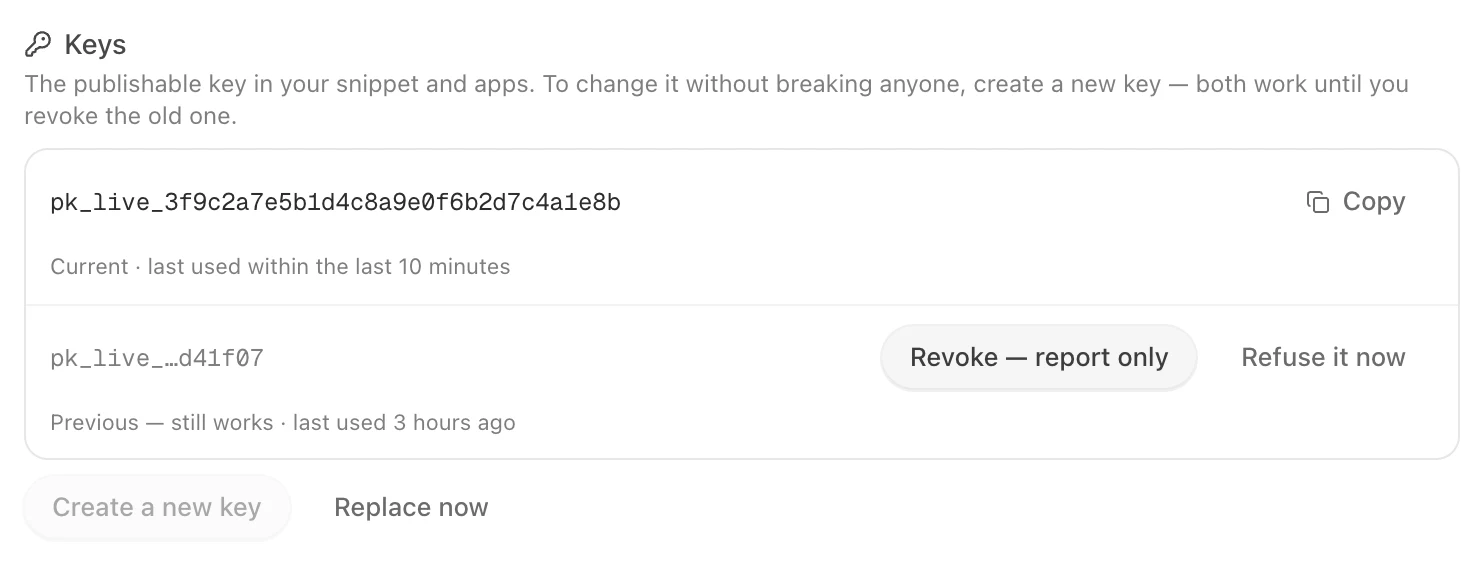
1. Create a new key
Agent → Embed & Widgets → Install → Keys → Create a new key. The new key becomes the one in your snippet. The current key keeps working beside it until you revoke it.
2. Move your apps and pages over
Put the new key in your website's snippet and in your app's configuration, and ship. Last used on each key tells you which one your builds still send; it updates about every ten minutes.
3. Revoke the old key — report only first
On the previous key choose Revoke — report only. It keeps working, and every request that still uses it is counted, so you can see whether an old build is still out there before anyone is refused.
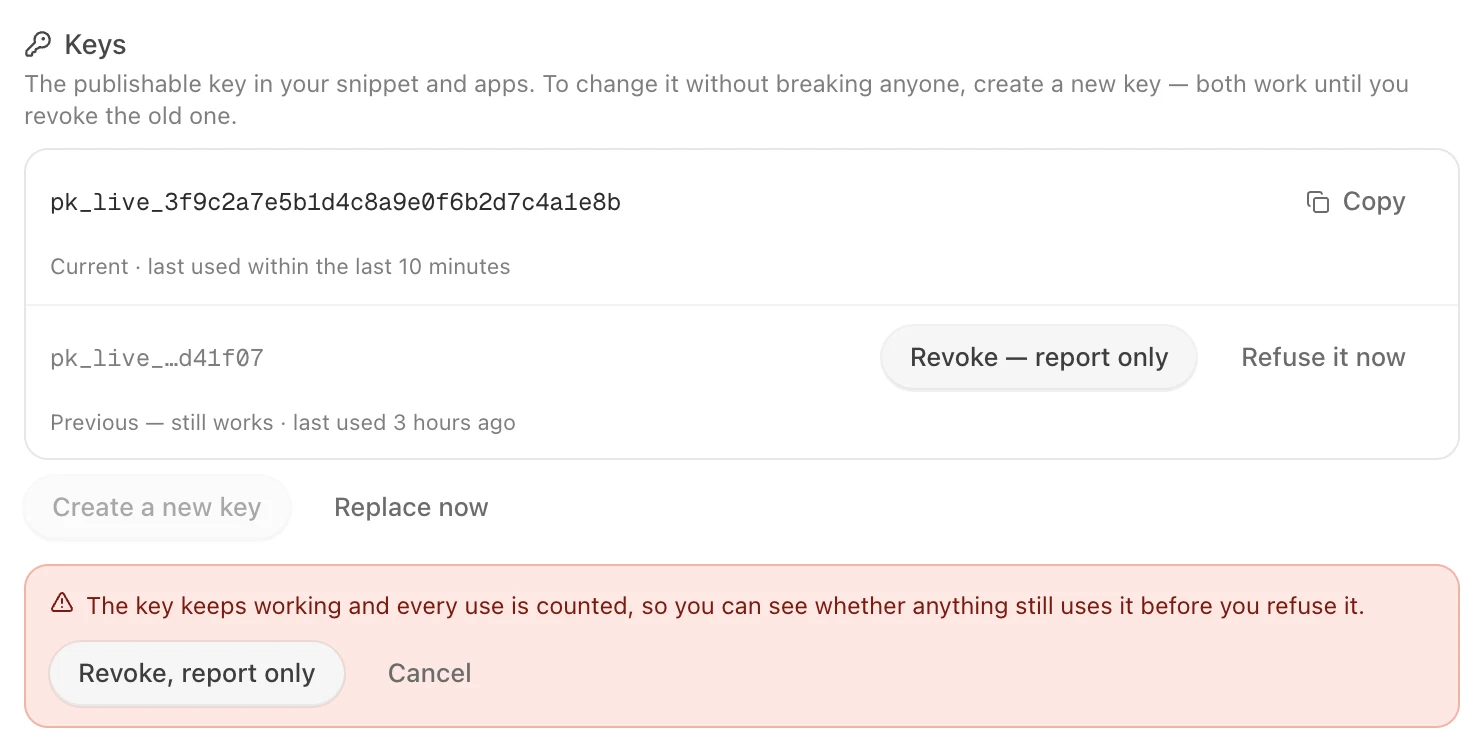
4. Refuse it
When nothing has used the old key for a while, choose Refuse it now. From then on — within a minute everywhere —
a request with that key is refused with key_revoked, and the SDK reports it to your app:
| SDK | The error |
|---|---|
| iOS | GraineErrorCode.keyRevoked |
| Android | GraineErrorCode.KEY_REVOKED |
| Kotlin Multiplatform | GraineErrorCode.KeyRevoked |
| Flutter | GraineErrorCode.keyRevoked |
| React Native and websites | "key_revoked" |
The SDK never retries it: an app on a revoked key needs an update with the new key. A report-only revoke can be undone with Undo revoke; a refused key stays refused.
Replace now
If a key is somewhere it should not be, Replace now makes a new key and refuses every other key within 30 seconds. Pages and apps still using an old key stop working, so use it only when that is what you want.
Every create, revoke and replace is recorded in your workspace's audit log with who did it. Only Admins can change keys.