

Memory
How a flow agent remembers each person. Where memory reaches the flow, how to write the briefing and the steps to use it, branching on what is known, and a quick test.
A flow agent remembers people the same way every Graine agent does. Switch memory on, and from a person's second conversation the agent knows what they told it, what was left open and what they prefer, whether they call, talk to it in your app or on your website. This page covers what is particular to a flow. The settings, how a person is identified, and forgetting are on the main Memory page.
Switch it on
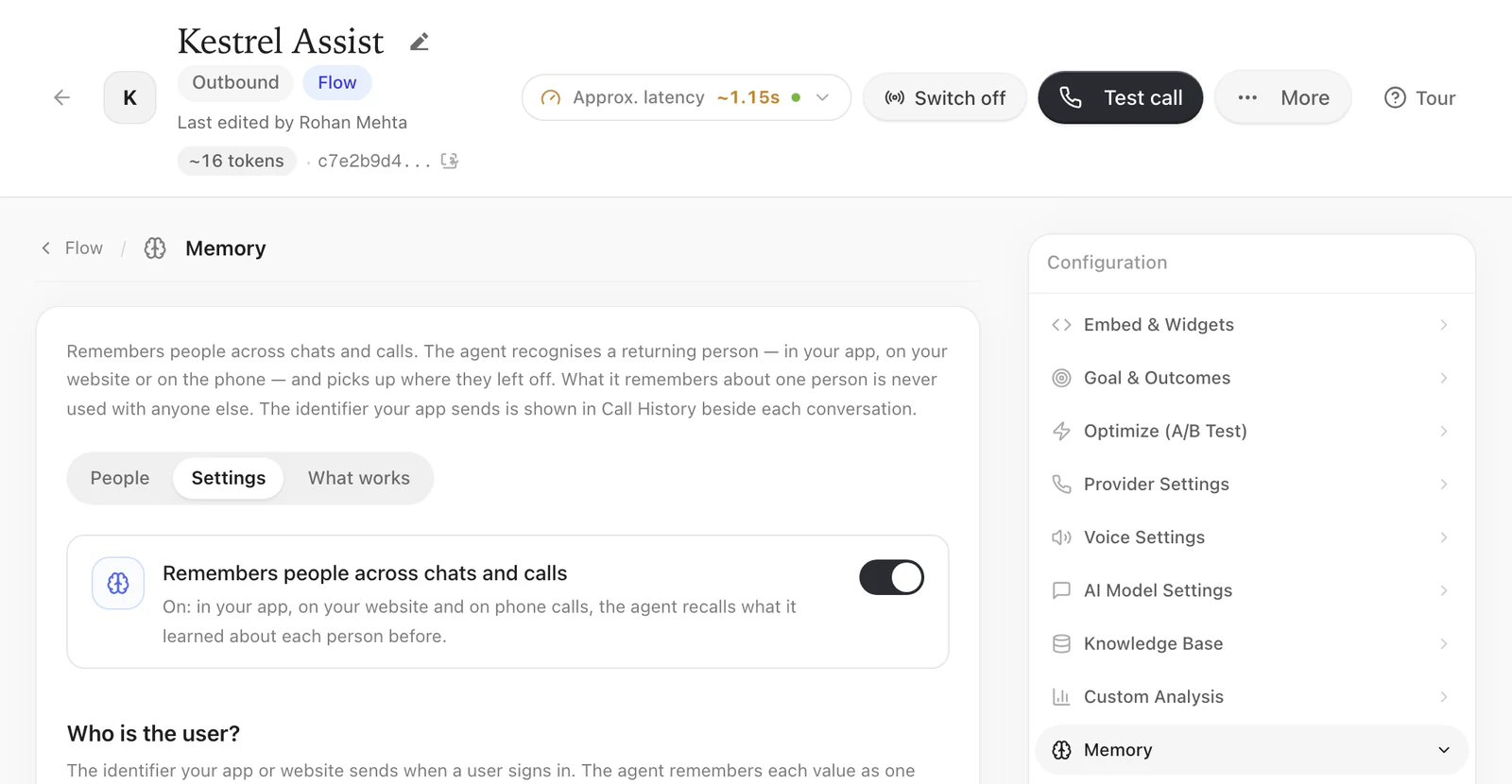
In the flow builder, open Settings › Memory, then on its Settings view switch on Remembers people across chats and calls. It is the same switch as on a prompt agent, and it covers every channel: a phone call knows the person by the caller's number, your app and your website by the user you identify. See The memory settings. People, on the same tab, finds the people the agent remembers. Changes there are saved at once: the flow builder's Save doesn't carry them.
The same settings are in the agent editor, under Agent → Memory → Settings:
Where memory reaches a flow
At the start of each conversation, before the first reply, what the agent remembers about the person is added after the flow's briefing (Settings › The agent). Every AI reply step reads the briefing before its own instructions, so every step can use it, whichever model the step replies with.
Nothing else differs from a prompt agent: the recall, the look-up during the conversation and the saving are the same. A prompt agent reads the block after its prompt; a flow reads it after its Briefing. So a flow never loses what it remembers when the conversation moves from one step to the next.
| Step | What memory does there |
|---|---|
| AI reply | Read on every turn, after the briefing and before the step's instructions (What the AI reads before it speaks) |
| Fixed line | Nothing: the line is said word for word |
| Branch, and every choice of the next path | Not read. The model that chooses a path reads the step's conversation and your paths; memory shapes that conversation. To branch on what is known about the person, use a rule (below) |
When the person brings up an earlier conversation ("last time", "as I told you"), the agent looks its memory up again before it answers, and what it finds reaches every step from then on — on a call, from the next turn when the look-up takes longer than the reply may wait.
Tell the flow how to use it
What is remembered comes with its own rules: this conversation comes first, pick up what was left open and confirm it, use their preferences without asking again, and never read the lines out. For anything more specific, add a few lines: general ones to the briefing, and one step's own to that step's instructions.
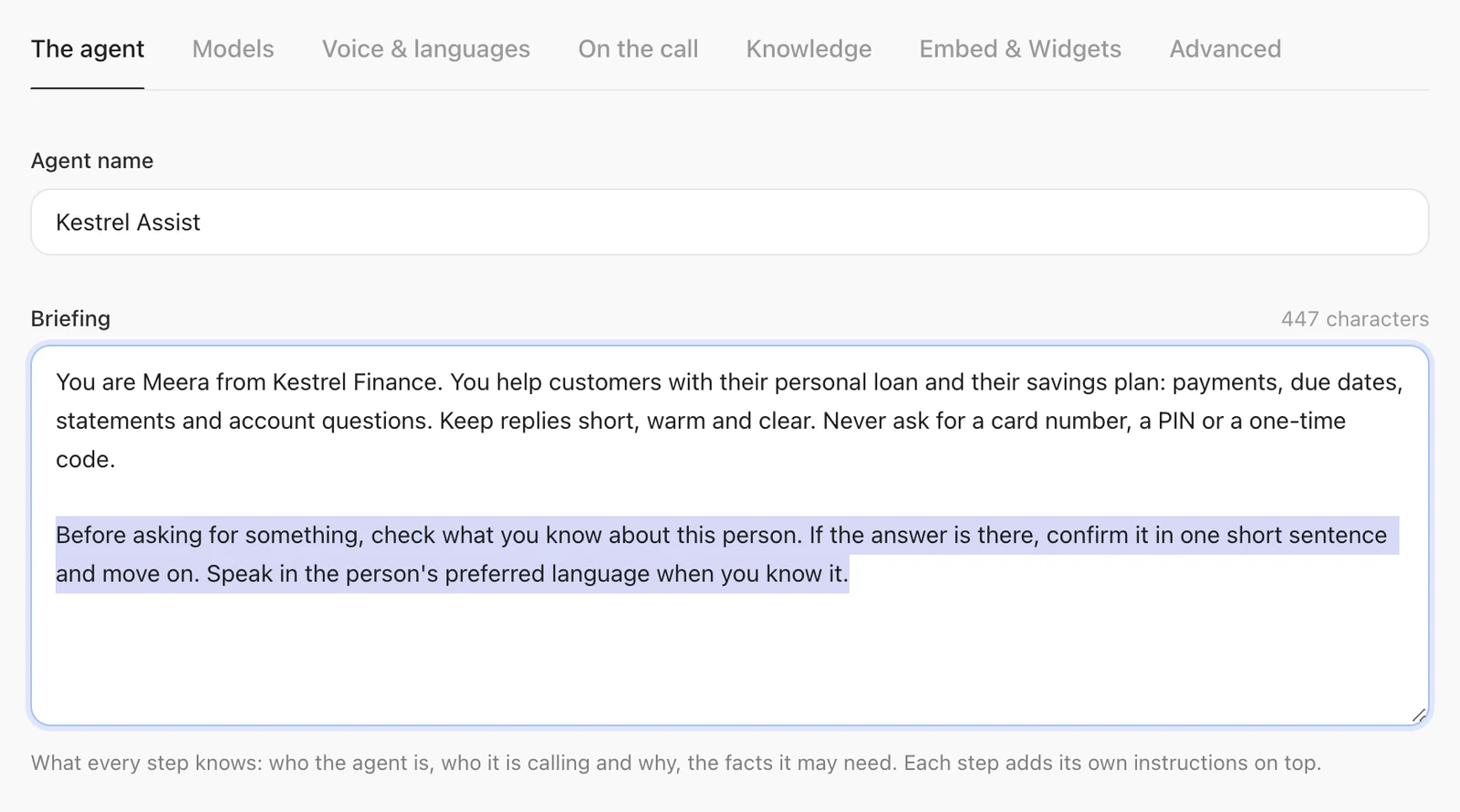
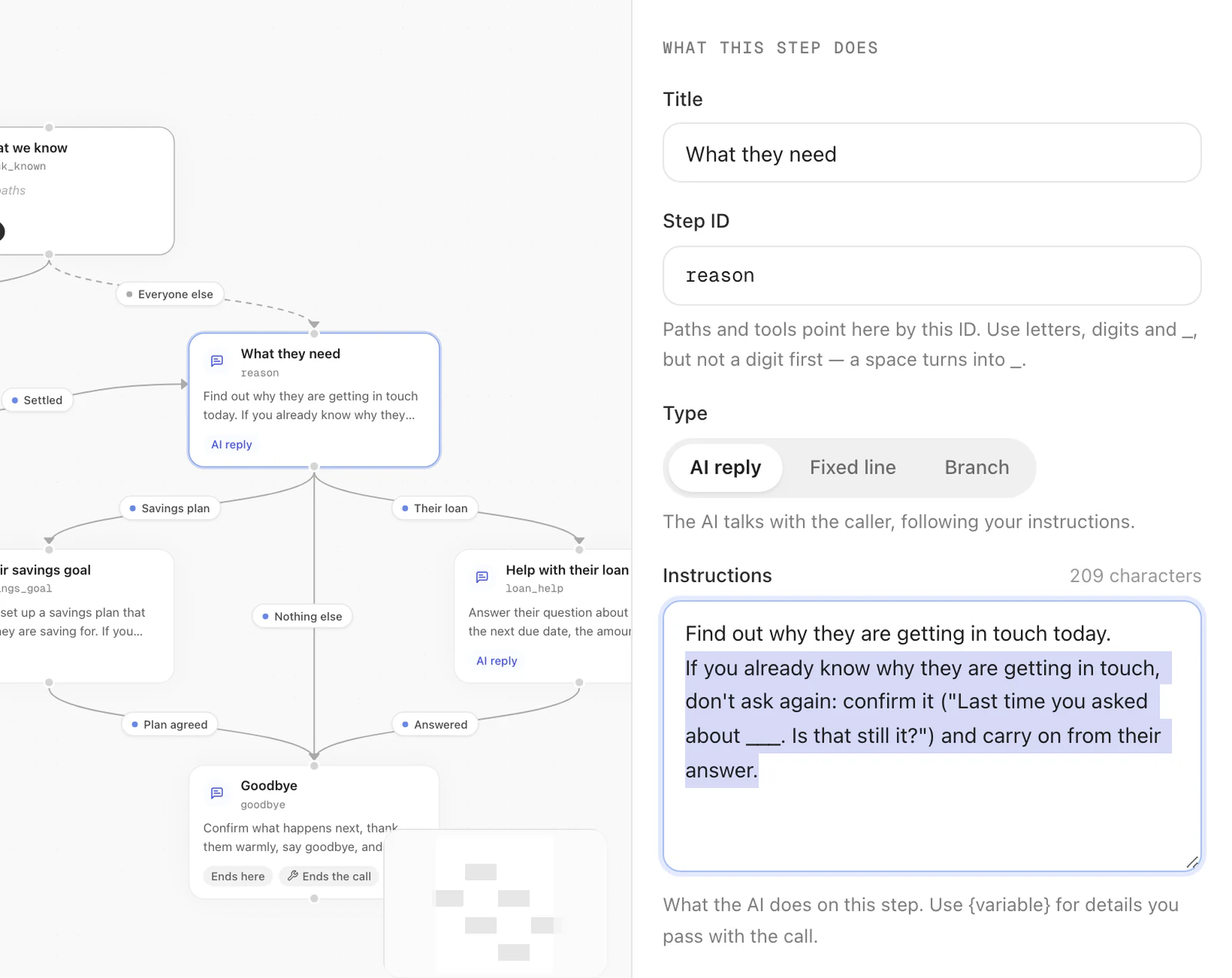
Instructions come first. When the briefing or a step says to speak English, a remembered preference for Hindi will not change it. Add the language line above if remembered preferences should change the conversation. More: Make the agent use what it remembers.
Branch on what is known
A conversation with a person who has history starts with call fields about it,
such as caller_context_status (how their latest conversation ended) and
caller_context_language (the language they prefer). A rule tests them like any
other value the call carries:
| To do this | Rule |
|---|---|
| Follow up on a promise | recipient_data.caller_context_status is promised |
| Don't pitch again to someone who said no | recipient_data.caller_context_status is not_interested |
| Start a branch in their language | recipient_data.caller_context_language is mr |
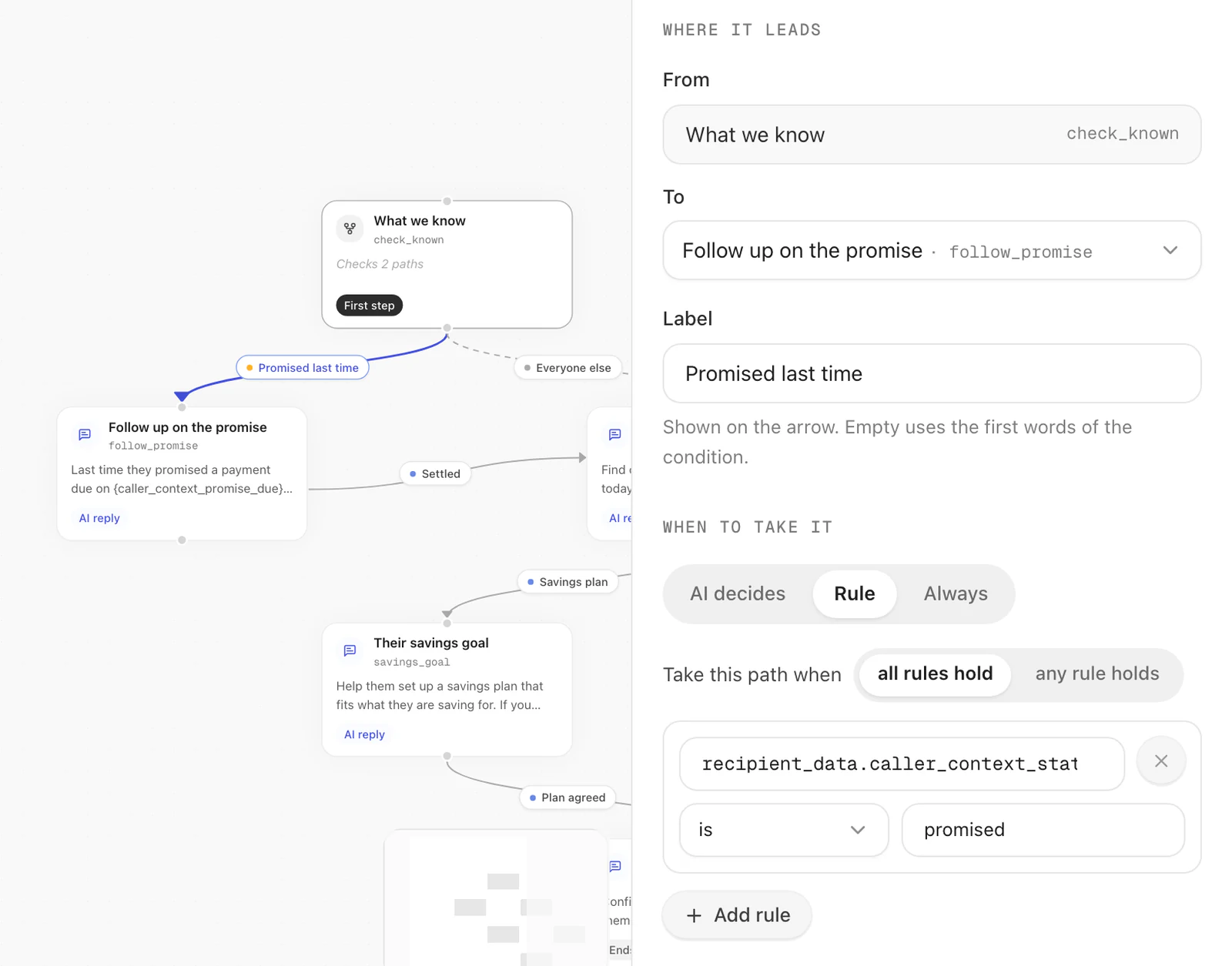
Every field, and when it is filled in: Branch a flow on it.
Test it
- Switch memory on and save.
- In the builder's Test area, choose Phone call and ring your own number. Tell the agent something worth keeping, such as the language you prefer or a time to call back, and hang up.
- Wait about a minute, then ring the same number again.
The agent uses what it learned without asking again. To see what it remembers, find the number under People in the sidebar, or Agent → Memory → People: choose Phone call and type it.
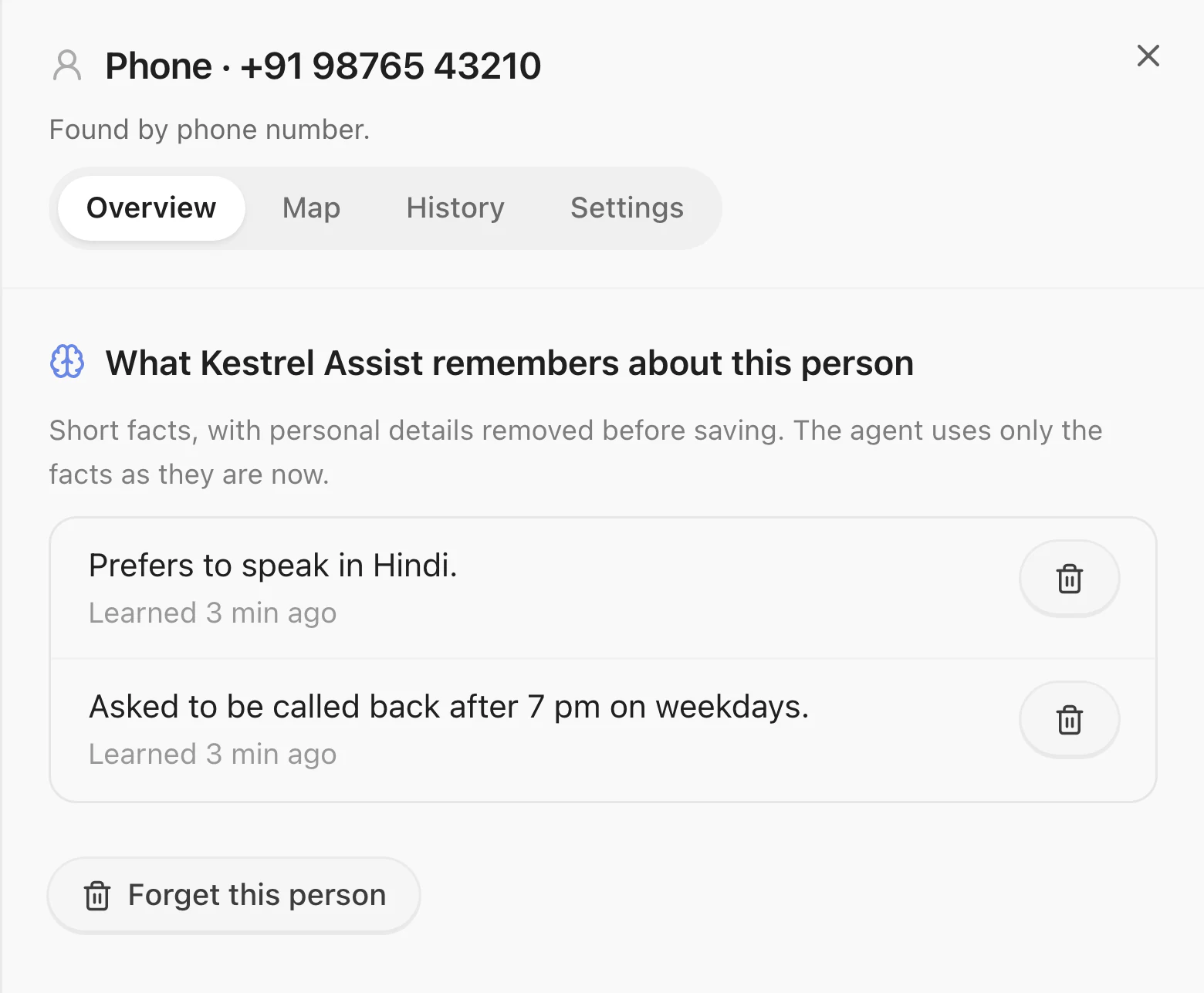
In your app or on your website, the same test is in Test it in five minutes.