

Paths and data
How a run chooses its next step — rules, Otherwise and the workflow's fallback — the values every step can read, saving your own values, and filling requests with them.
After a step, the run takes one of its paths. The paths are tried in order, and the first whose rule holds is taken. When none holds, the step's Otherwise path is taken. A step with no Otherwise falls back to the workflow's own, so every run reaches an End, even one nobody planned for.
Rules
A rule compares values. In the dashboard you pick a value, a comparison and what to compare it with, and join several with all of or any of.
| Comparison | Holds when |
|---|---|
| is / is not | The two are equal, or not. Text is compared without case unless you ask for exact case. |
| more than, at least, less than, at most | Both are numbers and the comparison holds. Anything that is not a number makes it false. |
| is one of | The value is in your list of up to 100. |
| contains | The text, or the list, contains it. |
| is set | The value exists. |
| always | Always. Use it for the one path out of a step. |
A value that is missing makes a comparison false, never an error, so put the
paths that need a value first and let Otherwise catch the rest. Values can
be worked out first, too: call.duration_s divided by 60, or a balance minus a
payment.
In a definition, a path is {"when": <rule>, "then": {"to": "<step>"}}, with
an optional label that names it on the canvas (the editor also keeps each
step's position in layout; neither changes how a run moves):
The forms a rule can take are cmp (with ==, !=, >, >=, <, <=,
in, contains), all, any, not, exists and always. A value is
{"var": "call.status"}, a constant {"const": ...}, or a sum
{"op": "/", "args": [...]} with +, -, * or /.
What a step can read
| Values | Come from | Last |
|---|---|---|
entry.* | The contact as it entered: for a person of your app, their ID in your app is entry.user_id (and its field entry.user_field) | The whole run |
run.* | The run itself: id, workflow_id, version, campaign_id, callback_url | The whole run |
call.* | The latest Call step | Until the next Call step |
extraction.* | The latest Read call results step | Until the next Call step |
response.* | The latest HTTP request step | Until the next one |
callback.* | The latest Wait for your system step | Until the next one |
message.* | The latest WhatsApp, SMS or email step | Until the next one |
automation.* | The latest Run an automation step | Until the next one |
history.* | The latest Check call history step: how many times the person was called lately, by any of your agents, and how many of those they answered | Until the next one |
trigger.* | What started the run: for a call that ended, trigger.call (status, direction, duration, its id); for a chat that ended, trigger.chat (its id, how many messages, how long it lasted) | The whole run |
state.* | Values you saved on a path | The whole run |
node.<step>.* | Every step's own results, kept by step id | The whole run |
node.<step>.* is how you read an earlier step after a later one has replaced
it. After a second call, node.first_call.call.status still says how the first
call went.
A Check call history before a Call is how you keep a person from being called too often by all your agents together — a rule on what it counted, and the call only on Otherwise:
Two of them, one by number and one in the app, are both kept
(node.<step>.history.*), so a rule can add them up with +.
Saving your own values
A path can save values as the run takes it, up to 10. A saved value is kept
for the whole run under state.*. Use it to remember a choice, keep a count, or
hold something for a later request.
Values in requests
A request's URL path, headers and body can use placeholders, {name}, each
defined in the step's values with where it comes from, a type and whether it is
required. A placeholder that is the whole of a body field keeps its type, so a
number stays a number.
A required value that is missing ends the run
The run ends as failed (required_variable_missing) rather than send a
request with a hole in it. An optional value that is missing is left empty,
and the run's timeline notes it.
Checked before it is published
Check (and publishing) refuses a workflow that could misbehave, and pins each problem to its step:
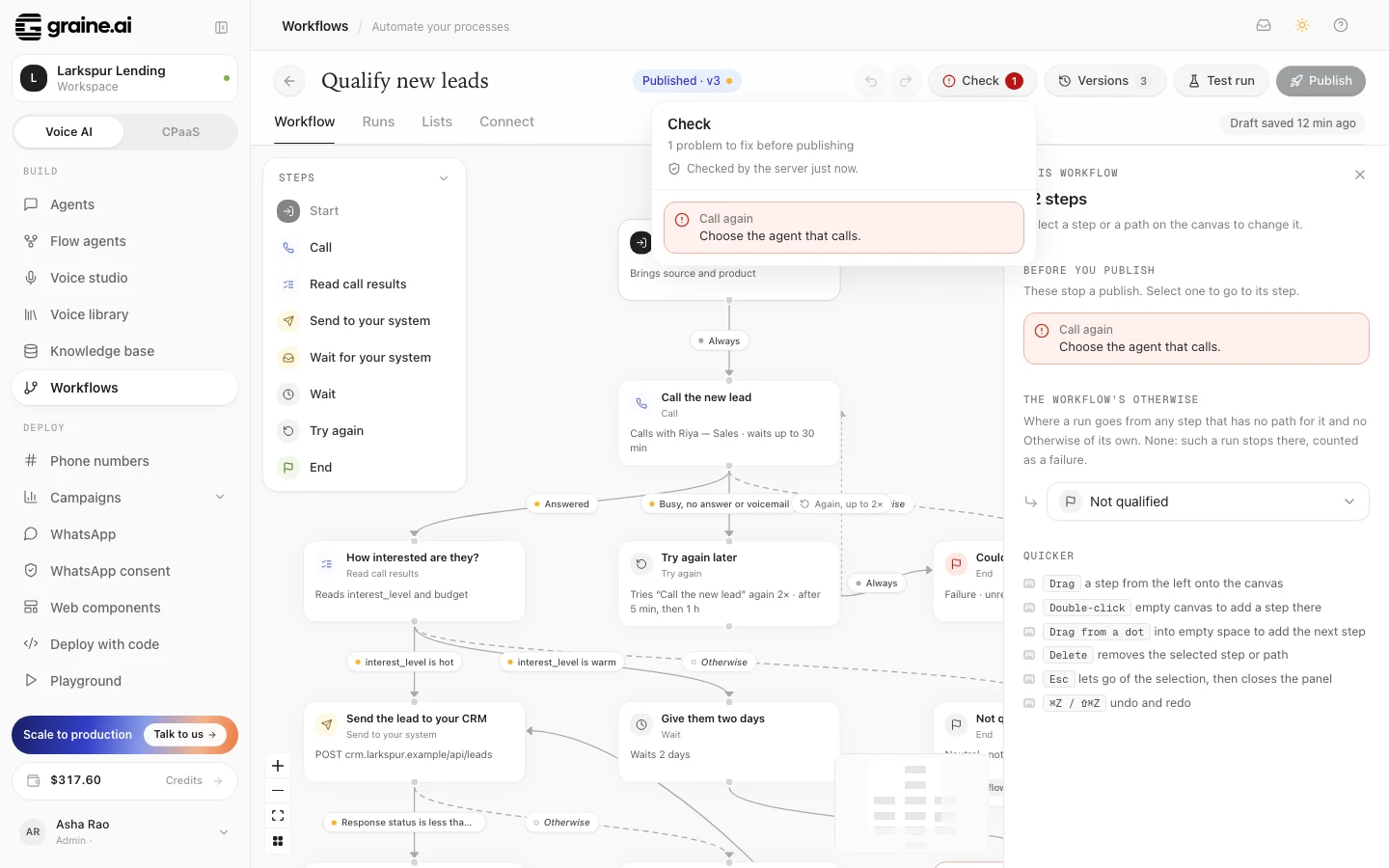
- a path to a step that does not exist;
- a loop that is not made with Try again;
- a Read call results step that is not right after its Call;
- a Wait for your system with nothing to do on timeout;
- a Check call history that counts back less than 1 hour or more than 90 days, or not in whole hours or days;
- a request to a private address, or a URL whose host comes from a value;
- an agent that is not yours, or was deleted;
- an End without a label and an outcome.
It also refuses a workflow over its limits: 200 steps, 25 paths a step, 10 saved values a path, 50 start fields, 512 KB. An agent that is switched off is a warning, not a refusal: the workflow can be published, and its calls wait until the agent is switched on.