 Request access

betaby invitation
meet your customers face to face.
Two new Graine capabilities, open to a small group of teams first: a live face for your in-app and website agent, and an agent that hears how the caller sounds.
01 / Avatar · beta
your in-app agent, face to face.
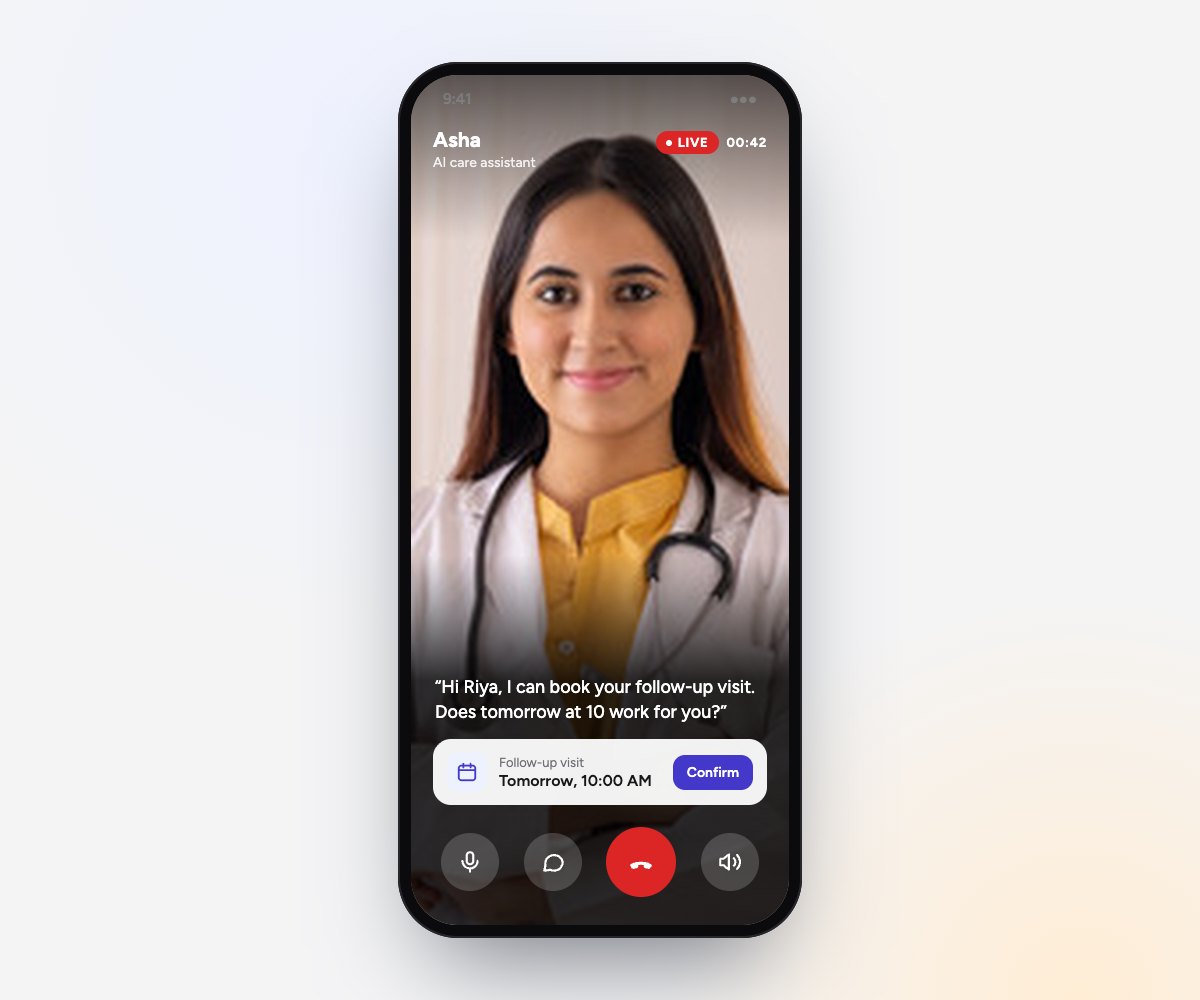
Your agent can appear as a live talking face that speaks with its own voice, its lips in sync with every word, in your app and on your website.
- I
As large as your design wants
Place the face anywhere in your app, from a small tile to the full screen.
- II
Made from one portrait
A clear, front-facing photo of one person who has agreed to be your agent's face, or an image you own.
- III
In your app and on your website
The Graine website widget shows it with no change to your snippet. In your app, the iOS, Android and Kotlin Multiplatform SDKs place the face where you want it.
- IV
Never at the cost of the call
The call never waits for the face. If it cannot be shown, the conversation carries on with the voice. Phone calls are never affected.
- V
Priced by the minute on screen
Minutes with the face on screen are charged on top of the call. Your workspace's price is shown under the Avatar switch.
02 / Speech to Decision · beta
your agent hears how the caller sounds.
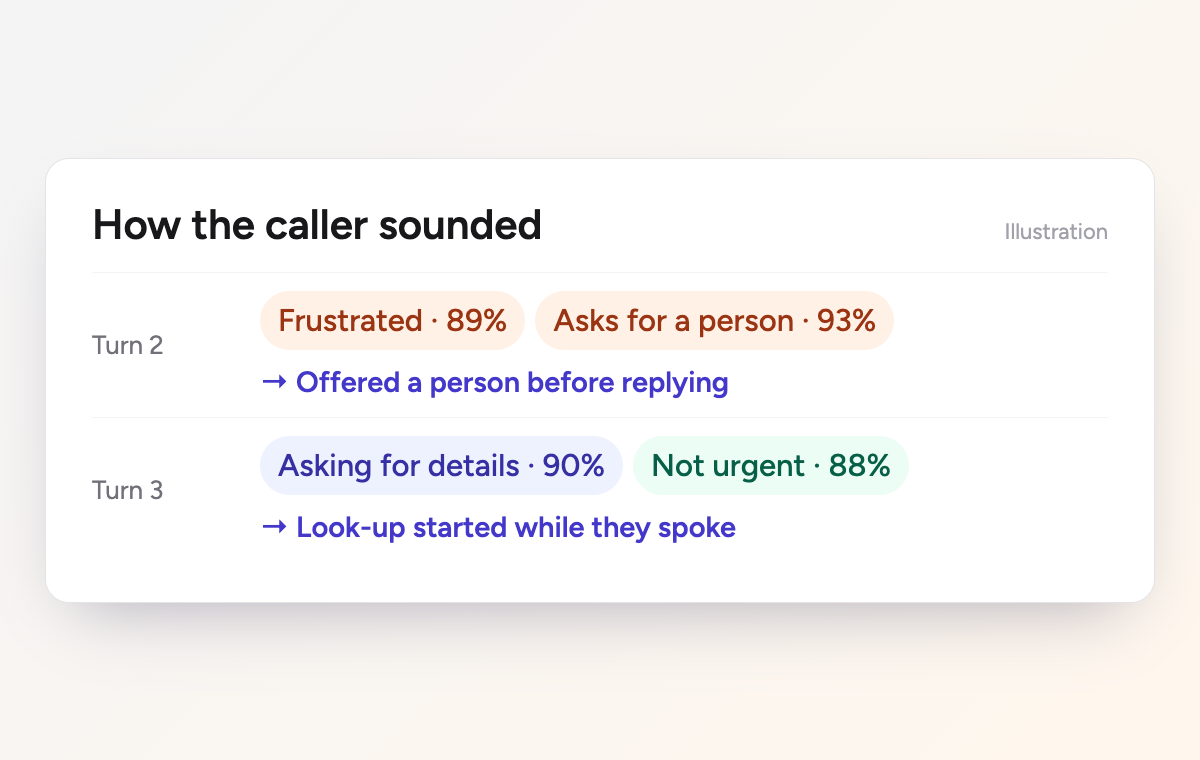
A transcript keeps the caller's words and loses how they said them. With Speech to Decision on, your agent also listens to the caller's voice on every turn, and decides from the audio itself while they are still talking.
- I
Tone, intent and urgency
Is the caller frustrated? Asking for a person? Promising to pay, or asking you to call later? Choose from 15 ready-made questions, or write your own.
- II
Acts in time
What it hears can tell the agent before it replies, move a flow agent to its next step, and start a look-up while the caller is still talking.
- III
You set the bar
Nothing acts until an answer is as sure as you choose: 80% to start with.
- IV
On the record
Call History shows how the caller sounded, turn by turn beside the transcript, and the export gains a Caller's voice column.
- V
Prompt and flow agents, phone and in-app
Turn it on in the agent's Speech decisions section.
“fine, go ahead.”
The words say
Agreement
The voice says
Barely held anger
→ offer a person
03 / How the beta works
a small group, working closely.
- I
Tell us the agents
Email founders@graine.ai with the agents you would like to try them on.
- II
We set them up with you
The portrait, the questions to listen for, and the SDK update for your app.
- III
Shape what comes next
We are starting small so we can work closely with every team. Your feedback decides what we build next.
seen.heard.understood.
Reply with the agents you would like to try them on. We will help your team set them up: the portrait, the questions to listen for, and the SDK update for your app.
or write to founders@graine.ai